BNCS
#1
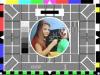
As the short and sweet title says, it would be interesting to know how BNCS (thinking the beebs integration mainly, but other broadcasters too) works... I'm guessing it controls multiple video routers... In NBH and Bureau galleries, they have a monitor to interface with it (grainy photo attached as an example), what options would typically available for people to select? Smile

[Image: 1622926975_253994509.png]
#2
BNCS is getting on for being 30 year old but ATOS (the sucesssors to BBC Resources & BBC Technology)
have it updated for today's IP age with NMOS and similar protocols
https://atos.net/wp-content/uploads/2019...ochure.pdf

But wind back to a time when TV was still analogue ( which meant things drifted and needed tweaking adjustments)
and the cost of equipment was still great but coming down in price or rather you got more for your money.
So there was more needing to be done by the same number or may be fewer operators
Whilst the first few implementations were more to do with controlling and orchestrating various switching matrices -
For instance to make a packages routed to a studio of a video, audio and talkback
all on separate routers being invoked by a single button press or scheduled actions
It also had that overall knowledge that sorted out conflicts and informed the operators.

In fact it was very strong on revertive siganaling so you Knew it had been done!
(many systems still just command and don't check that the action has been done )

One of the novelties was that it was mostly a touch screen operation (in the mid 1990s)
The other was that it had no central server!

Thus mimiced the hardware buttons knobs and indications that the operators
were used to working with on the hardware (and omitted the ones you did not need!)
all be it on a screen which could have a more than sufficient number of virtual panel screens available to it ...
So it grew to show signal path with the ability to tweak the equalisiers or set a satellite receiver Standards converter etc
and at the same time you could view a bank of equalisers (or Receivers etc) and see what was routed to each.....

A Much underplayed function was alarms handling and logging
so that all the staff knew something was wrong and how serious it was.

As the number of staff declined so giving each MCR / CCA operator position say three screens
means fewer could do more ... which came at a time of destaffing!
So if there was a panic on Sat Ops a Central routing person could quickly pull up Sat receiver screens
and deal with the problem and one person could see a few views or work with someone else anywhere!

As it was made by / in close liaison with operational staff
- it was/ is used by the BBC, Sky, Red Bee, Bloomberg and probably a few more.
(it was also used by Direct TV in the USA for a time)

Of course the fact that one panel screen could have multifunction and was reporting
and integrating control and monitoring from a number of devices on the same panel was useful
in a more studio like environment ...

In fact the last time I had my finger on a panel was at Bloomberg in London where I used the panel
whose main purpose (rest screen) was preview selection via a "select studio screen"
to one which enabled me to wake up the Hong Kong Studio then Close the blinds, turn on and adjust lights
and move the PTZ cameras and adjust sound. and put bars and tone to line .....All on the one panel screen !!!
with my local PV monitor following what I needed to see!
But the panel also had a lot more screens to control other things needed less often !

So it can control almost anything ..... (Even ADSA supermarket Freezers were looked at!)
and give those using it the view of the system they find useful to to the operation they require
all taking up little space in front of them!.

#3
technologist post_id=17041 time=1622969767 user_id=1158 Wrote:BNCS is getting on for being 30 year old but ATOS (the sucesssors to BBC Resources & BBC Technology)
have it updated for today's IP age with NMOS and similar protocols
https://atos.net/wp-content/uploads/2019...ochure.pdf

But wind back to a time when TV was still analogue ( which meant things drifted and needed tweaking adjustments)
and the cost of equipment was still great but coming down in price or rather you got more for your money.
So there was more needing to be done by the same number or may be fewer operators
Whilst the first few implementations were more to do with controlling and orchestrating various switching matrices -
For instance to make a packages routed to a studio of a video, audio and talkback
all on separate routers being invoked by a single button press or scheduled actions
It also had that overall knowledge that sorted out conflicts and informed the operators.

In fact it was very strong on revertive siganaling so you Knew it had been done!
(many systems still just command and don't check that the action has been done )

One of the novelties was that it was mostly a touch screen operation (in the mid 1990s)
The other was that it had no central server!

Thus mimiced the hardware buttons knobs and indications that the operators
were used to working with on the hardware (and omitted the ones you did not need!)
all be it on a screen which could have a more than sufficient number of virtual panel screens available to it ...
So it grew to show signal path with the ability to tweak the equalisiers or set a satellite receiver Standards converter etc
and at the same time you could view a bank of equalisers (or Receivers etc) and see what was routed to each.....

A Much underplayed function was alarms handling and logging
so that all the staff knew something was wrong and how serious it was.

As the number of staff declined so giving each MCR / CCA operator position say three screens
means fewer could do more ... which came at a time of destaffing!
So if there was a panic on Sat Ops a Central routing person could quickly pull up Sat receiver screens
and deal with the problem and one person could see a few views or work with someone else anywhere!

As it was made by / in close liaison with operational staff
- it was/ is used by the BBC, Sky, Red Bee, Bloomberg and probably a few more.
(it was also used by Direct TV in the USA for a time)

Of course the fact that one panel screen could have multifunction and was reporting
and integrating control and monitoring from a number of devices on the same panel was useful
in a more studio like environment ...

In fact the last time I had my finger on a panel was at Bloomberg in London where I used the panel
whose main purpose (rest screen) was preview selection via a "select studio screen"
to one which enabled me to wake up the Hong Kong Studio then Close the blinds, turn on and adjust lights
and move the PTZ cameras and adjust sound. and put bars and tone to line .....All on the one panel screen !!!
with my local PV monitor following what I needed to see!
But the panel also had a lot more screens to control other things needed less often !

So it can control almost anything ..... (Even ADSA supermarket Freezers were looked at!)
and give those using it the view of the system they find useful to to the operation they require
all taking up little space in front of them!.

A great insight... thanks. Controlling anything and everything. I could imagine it being very useful in Beureau's, as you mention. I wonder if they can select what feeds they get from NBH.
#4
The great thing about BNCS is that it's essentially just a kit of parts - you can do anything with it and tweak and add and change over time. The system I use at work started fairly basic and has grown over the years, the team that looks after it have added all sorts of useful bells and whistles to make the job easier.

It's extendable too, there's a couple of protocols that will enable it to work with other BNCS systems or control devices in other locations that aren't on the same network.

It's able to operate just about anything, a lot of equipment comes with drivers for BNCS, but is possible to control things that don't by working out the commands needed or getting those details from the manufacturers. Even domestic devices like set top boxes can be controlled using IR senders.

We have multiple locations so can control routers and equipment, and monitor alarms in those locations all using the same touch screens. In fact often we'll have the controls of kit in two locations on a panel at the same time - for example an encoder on the left and a decoder on the right.
#5
Inspector Sands post_id=17053 time=1622977085 user_id=1003 Wrote:The great thing about BNCS is that it's essentially just a kit of parts - you can do anything with it and tweak and add and change over time. The system I use at work started fairly basic and has grown over the years, the team that looks after it have added all sorts of useful bells and whistles to make the job easier.

It's extendable too, there's a couple of protocols that will enable it to work with other BNCS systems or control devices in other locations that aren't on the same network.

It's able to operate just about anything, a lot of equipment comes with drivers for BNCS, but is possible to control things that don't by working out the commands needed or getting those details from the manufacturers. Even domestic devices like set top boxes can be controlled using IR senders.


Sounds very useful as versatility is important in our industry Smile
#6
Things I've seen controlled via BNCS at various facilities:

- Multview sources / UMDs / tally status / clocks
- Routing of studio tallies / microphones / lighting / pretty much anything to different galleries
- Incoming packages from bureaus, trucks, edit suites, voiceover booths routed to different sources
- Emergency-tape playout
- Set-top boxes (for off-air returns)
- Fire alarm sounder status (toggles between sirens and lights, or lights only)
- Unreal Engine VR scenes
- Controlling cameras in bureaus (paint/PTZ/reboot/format)
- Shutting blinds and controlling house-lights

The ability to have salvos which can be fired as required is highly beneficial. Need to change an entire multiviewer? Done. Need to switch to the backup Viz engine? Done - now the sources hitting the vision mixer are changed and the multview is changed too.

The most entertaining use I have seen was for a newsroom position in a remote bureau - there was a button which shut some louvers of a meeting room behind the talent so that any private meetings wouldn't be seen on camera.
#7
It's useful for TX chains and similar, you can have a visual representation of the chain and each thing in it can display its status and have button which takes you to its controls.

I have worked somewhere without it and it was just a mess of proprietary control software and hardware. The router was on a panel on the desk, if you wanted to configure one bit of kit it was one piece of software with its own login and style of interface, if you wanted to configure another it was a totally different one. The VT remotes were another box on the desk etc. With BNCS all that can be done on the same software without having to learn lots of different ones
#8
BNCS isn't the only option, there's also GV's Centra Workbench which (for some applications) does a similar job.
#9
Transmission post_id=17226 time=1623057481 user_id=1522 Wrote:BNCS isn't the only option, there's also GV's Centra Workbench which (for some applications) does a similar job.
TSL's TallyMan Virtual Panel too - although I've not seen any real-world applications of it yet.
#10
Some BBC Locals managed to find touch screens just the right size to replace the OS selection module on the good old MK3 desk.

https://www.google.com/amp/s/www.bbc.co....755845.amp

As well as handling OS feeds, BNCS also switched different studios to the transmitters and platforms, I guess as a salvo in normal operation but with the opportunity to do it manually for opt outs.
Write that down in your copybook now
#11
Transmission post_id=17226 time= user_id=1522 Wrote:BNCS isn't the only option, there's also GV's Centra Workbench which (for some applications) does a similar job.

And Cerebrum from Axon (now consumed into EVS after the merger)
https://evs.com/products/control-monitor...n/cerebrum

And Lawo's VSM
https://lawo.com/vsm/
#12
Markymark post_id=17391 time= user_id=1078 Wrote:
Transmission post_id=17226 time= user_id=1522 Wrote:BNCS isn't the only option, there's also GV's Centra Workbench which (for some applications) does a similar job.

And Cerebrum from Axon (now consumed into EVS after the merger)
https://evs.com/products/control-monitor...n/cerebrum

And Lawo's VSM
https://lawo.com/vsm/
Centra Workbench has been effectively discontinued. Grass Valley have replaced it with GV Orbit which is a much more modern config and control application that can do a lot more than Workbench could.

There's also Dashboard from Ross. It's mainly intended to control their equipment, but through it's custom panel and scripting functionality it's actually very useful for controling lots of systems, provided you know how the protocols and how to build the panel.
#13
Transmission post_id=17226 time= user_id=1522 Wrote:BNCS isn't the only option, there's also GV's Centra Workbench which (for some applications) does a similar job.
And BFEs KSC Core with its GFX Unit:
https://www.bfe.tv/en/solutions-products.../ksc-core/
#14
Steve in Pudsey post_id=17385 time= user_id=942 Wrote:Some BBC Locals managed to find touch screens just the right size to replace the OS selection module on the good old MK3 desk.

https://www.google.com/amp/s/www.bbc.co....755845.amp

As well as handling OS feeds, BNCS also switched different studios to the transmitters and platforms, I guess as a salvo in normal operation but with the opportunity to do it manually for opt outs.
I have seen them in use at BBC network radio to hand network control of the live studios from one to another.

Is the UI essentially a Windows computer behind the scenes?
#15
BBC TV Centre post_id=18245 time= user_id=1344 Wrote:]I have seen them in use at BBC network radio to hand network control of the live studios from one to another.

Is the UI essentially a Windows computer behind the scenes?
Yes, it's all Windows based.

Obviously set ups vary according to age and size but these days I think it's usual for BNCS clients to be virtual machines running on servers. When you've hundreds of devices and many operational desks that's the only way to do it. The machine being used on the desk is a relatively low spec 'thin client' which then remotes into the actual client.


Forum Jump:


Users browsing this thread: 1 Guest(s)
Powered by MyBB, © 2002-2026 MyBB Group. Theme designed by m0ckingbird © 2015-2026.